FOR VERIFIED BUSINESSES

Your business is verified. Get running in five steps.

Add your vehicles, routes and drivers, then invite the parents you already drive. About fifteen minutes, and you only do it once.

iPhone and Android · or use it in your browser
  1. 1
  2. 2
  3. 3
  4. 4
  5. 5
1
1 minute

Sign in to your Business Portal

Your business is verified, so you are ready to go. Open SkoolRun on your phone or in your browser and sign in with the mobile number you registered with. We send you a code, so there is no long form.

Parents can find you because you are verified. Keep your licence up to date so you stay visible.
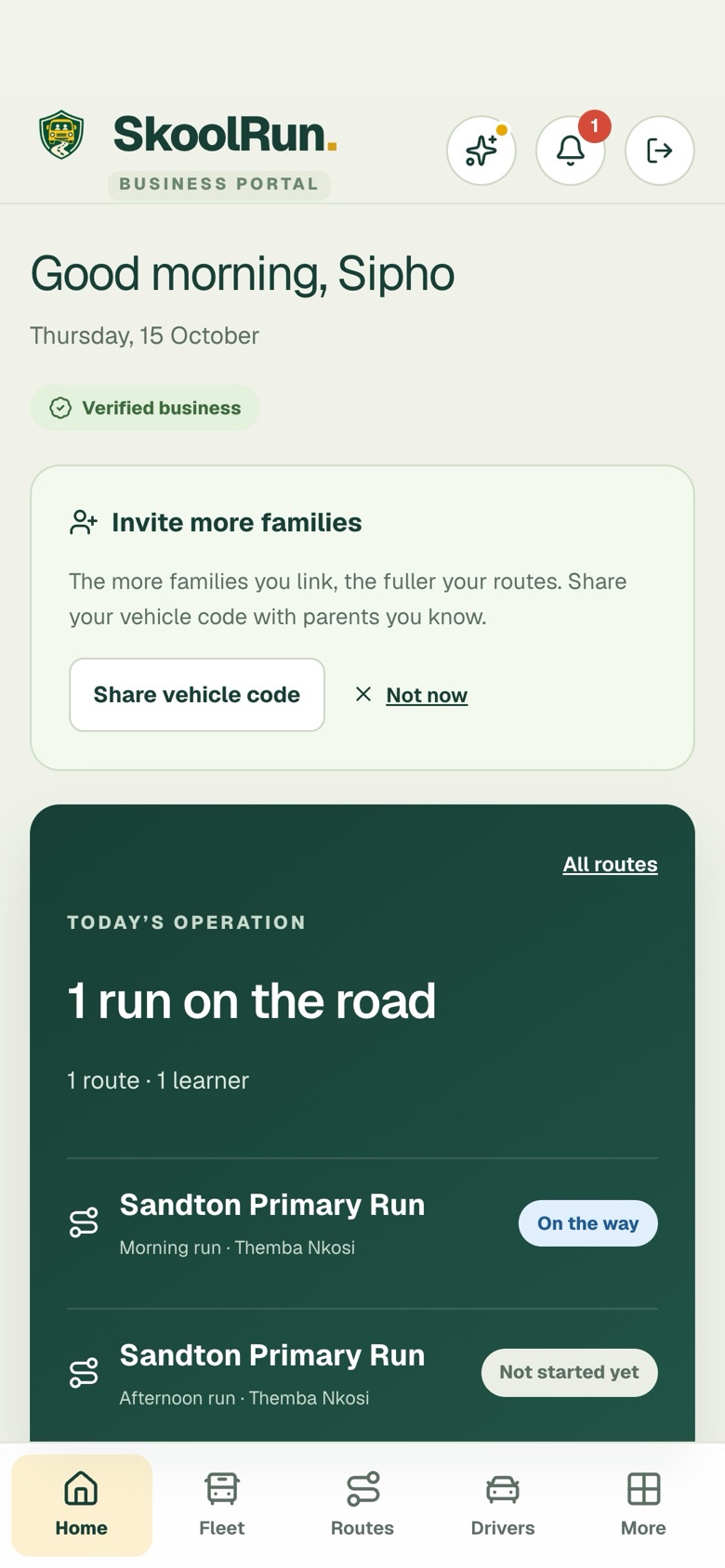
The SkoolRun Business Portal home screen with a Verified business badge
2
3 minutes

Add your vehicles

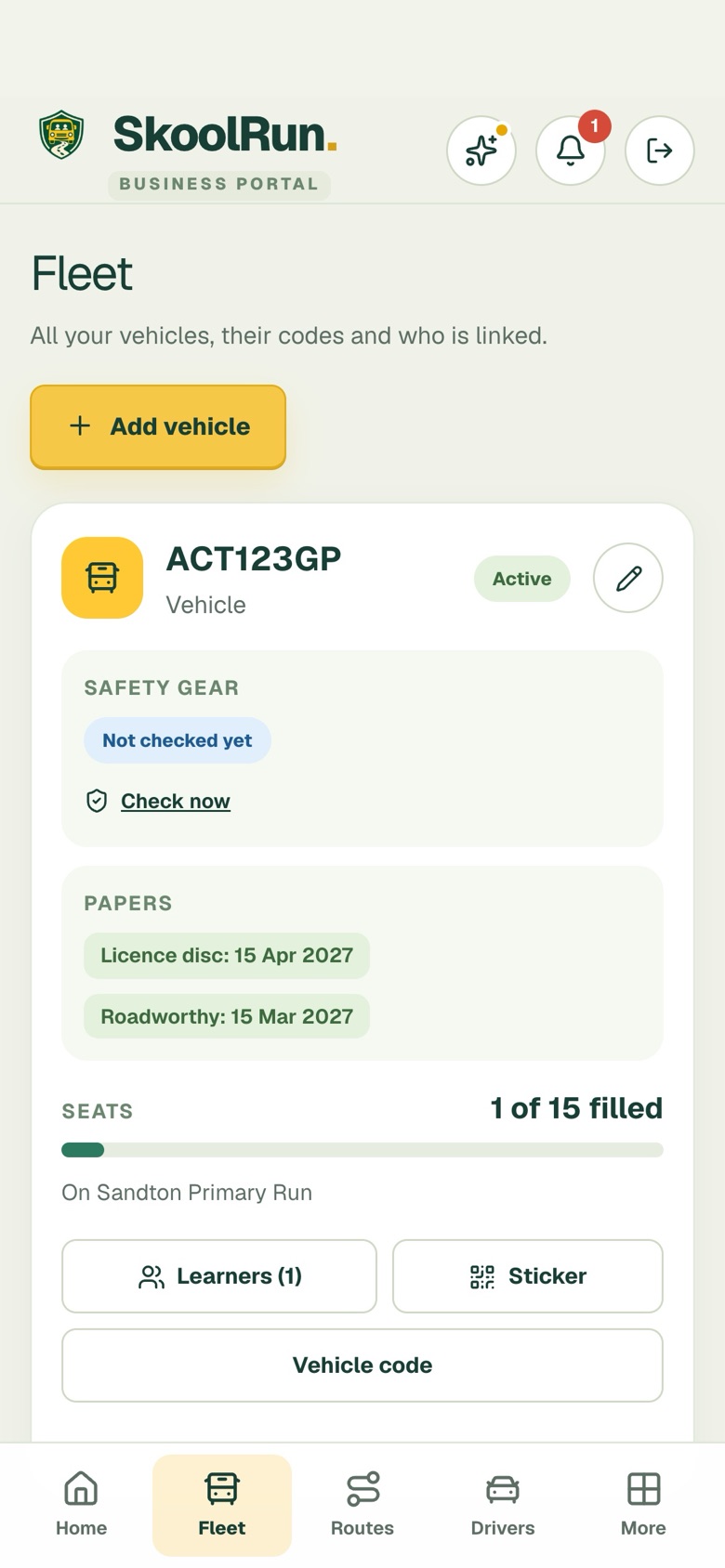
Open Fleet and tap Add vehicle. Enter the registration, the number of seats and the dates on your licence disc and roadworthy. Every vehicle gets its own sticker and vehicle code, so parents can check it is really yours.

Put the SkoolRun sticker on the vehicle: parents can scan it to check it is genuine.
The Fleet screen with a vehicle, its papers and seats filled
3
5 minutes

Set up your routes and schools

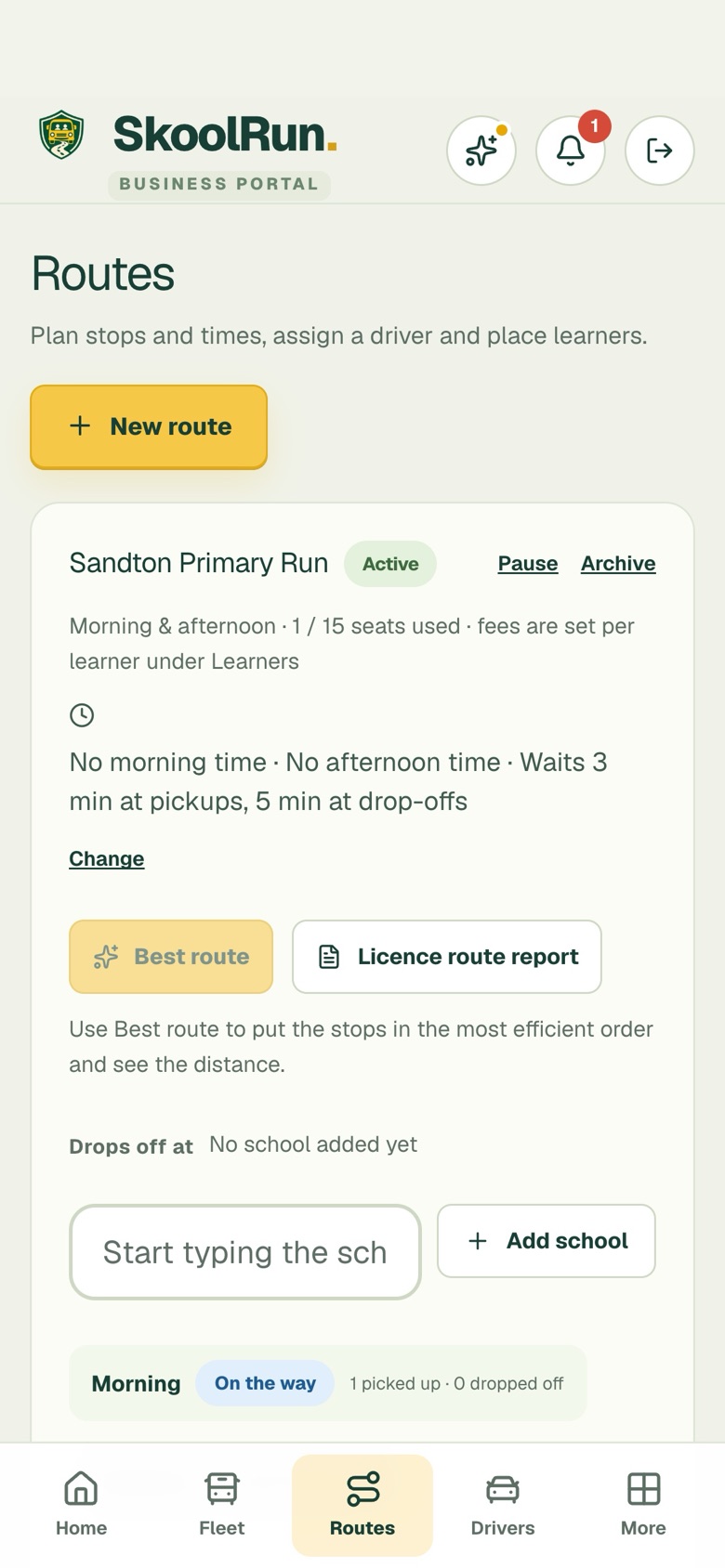
Open Routes and tap New route. Add the stops and times, the schools you drop at, and the vehicle and driver for the run. Tap Best route to put the stops in the most efficient order.

You can change a route any time. Parents see the new times straight away.
The Routes screen with a route, its stops and a school box
4
2 minutes

Add your drivers

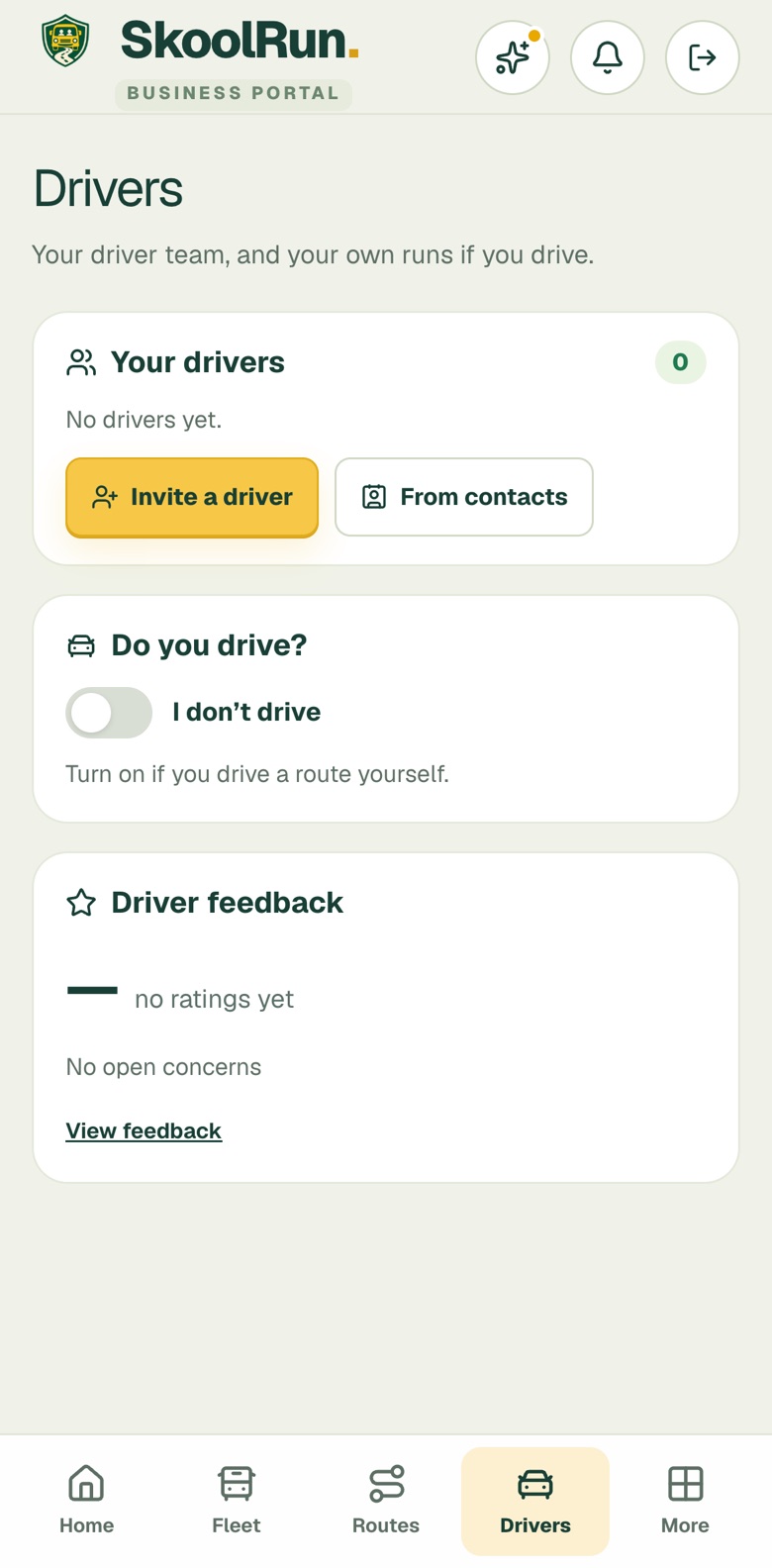
Open Drivers and tap Invite a driver, or pick them From contacts. They get a message to join your team and upload their documents. If you drive a route yourself, switch on Do you drive?

A driver’s badge shows once SkoolRun has checked their four documents.
The Drivers screen with Invite a driver and From contacts buttons
5
2 minutes

Invite the parents you already drive

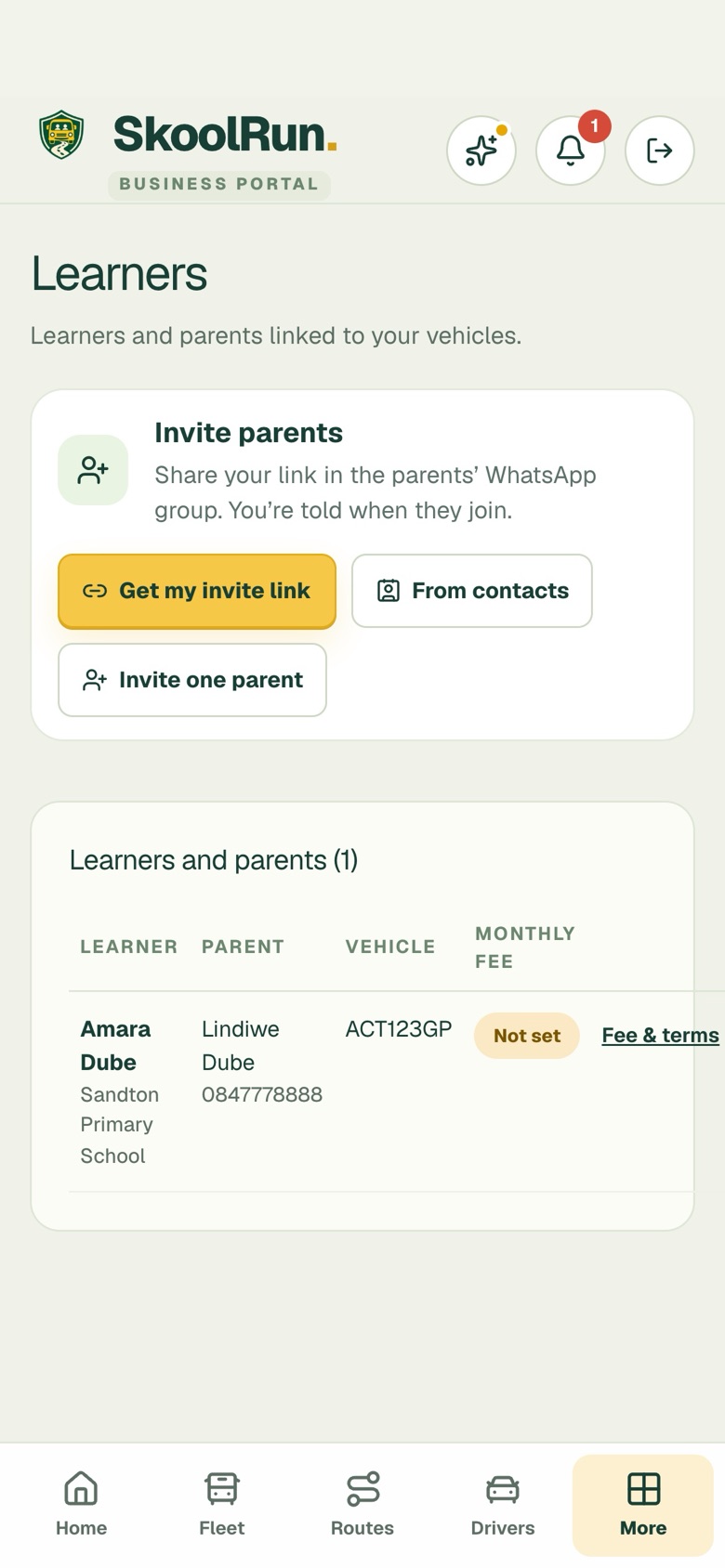
Open Learners and tap Get my invite link. Share it in your parents’ WhatsApp group. Each parent adds their child and joins your vehicle, and you are told when they do. They then see your trips live, and you stay in one place.

Prefer one by one? Tap Invite one parent and send it from your own WhatsApp.
The Learners screen with Get my invite link and Invite one parent

Why parents trust you on SkoolRun

How we verify and protect you →

Your verified badge

Parents see that SkoolRun has checked your business.

Your sticker, scanned

Parents can scan a vehicle sticker to confirm it is really yours.

Details kept private

Learner details are shared only with the business and driver linked to the child.

A real person on WhatsApp

Stuck at any step? Message us and we will help.

Questions business owners ask

Ready? Start with Step 1.

skoolrun.co.za · support@skoolrun.co.za · WhatsApp 083 584 4788